What Gear Do You Actually Need to Work From Anywhere?
If you’re searching for work from anywhere gear, most of what you’ll find is built for a home office. A standing desk. A monitor arm. An ergonomic chair that costs as much as a flight. All useful — none of it fits in a backpack. Remote work has changed enough in 2026 that the distinction matters, and most gear guides haven’t caught up.
Remote work in 2026 isn’t just work-from-home anymore
Three years ago, remote work advice was almost entirely about home office setup. Buy a good chair. Get a second monitor. Run ethernet to your desk.
That advice still holds, for home. But the definition of remote work has shifted. According to data from early 2026, roughly 76–82% of U.S. companies now offer some form of flexible work arrangement, and hybrid is the dominant model. The typical pattern is three days in the office, two days flexible. For a growing number of workers, those flexible days aren’t always spent at home.
Remote work in 2026 is also more outcomes-focused than it was in 2021 or 2022. When remote work was universally accommodated, underperforming from a coffee shop was easier to overlook. Now, the expectation is that you produce the same quality of work regardless of where you’re sitting. Saying “I was at a café” doesn’t land as an explanation for a call that sounded terrible or a deadline you missed because the WiFi dropped.
That shift changes what gear decisions actually look like. A home office is a fixed environment you control and optimize once. A coffee shop, hotel room, or co-working space is a variable environment you adapt to every time. The gear that handles those situations is lighter, more flexible, and built for uncertainty rather than eliminating it.
What breaks down when you leave your desk
Most remote work gear is built around assumptions that stop being true the moment you leave home.
At home, you control your router. You know the speed, the password, and whether it’s secure. At a coffee shop or hotel, you’re on a shared network, often unencrypted, sometimes slower than expected, and open to anyone else sitting in the same room. The reliable, private connection you took for granted is suddenly neither. And once you’re on that network, every other problem starts to surface.
A second monitor might be the single highest-leverage home office upgrade you can make. It’s also the first thing that disappears when you pack a bag. Working on a single laptop screen after months of a dual-monitor setup is a noticeable step backward — and with less screen space, you’re slower, more likely to be on a video call that fills your entire display, and more exposed to the next problem.
Video calls from a home office are predictable. From a busy café, you’re negotiating background noise on every call, both what you hear and what the other person hears. There’s a real difference between ambient noise and sounding like you’re calling from inside an espresso machine. Fix that, and you still have to find somewhere to actually plug in.
At home, your laptop never runs out of charge because you’re always within a few feet of an outlet. On the road, outlets are a resource you compete for. A six-hour workday away from a wall socket is a different problem than any home office setup is designed to handle. Most people manage the power situation by rearranging their whole day around it — which brings the last problem into focus.
Posture does matter. You just don’t feel it until hour four of hunching over a laptop at a table that wasn’t built for sustained work.
The gear that actually travels
Each of these problems has a practical solution. None of them require a large investment or a heavy bag.
Your own network, wherever you are
The most overlooked piece of mobile work gear is a travel router, and the reason most people skip it is that they’re focused on the wrong problem.
Speed is the obvious concern with hotel and café WiFi. Security is the one that matters more for work. Public WiFi networks are largely unencrypted, which means traffic on the network is visible to anyone with basic tools. For casual browsing, that’s an acceptable risk. For work email, documents, client calls, and logins, it’s worth solving properly.
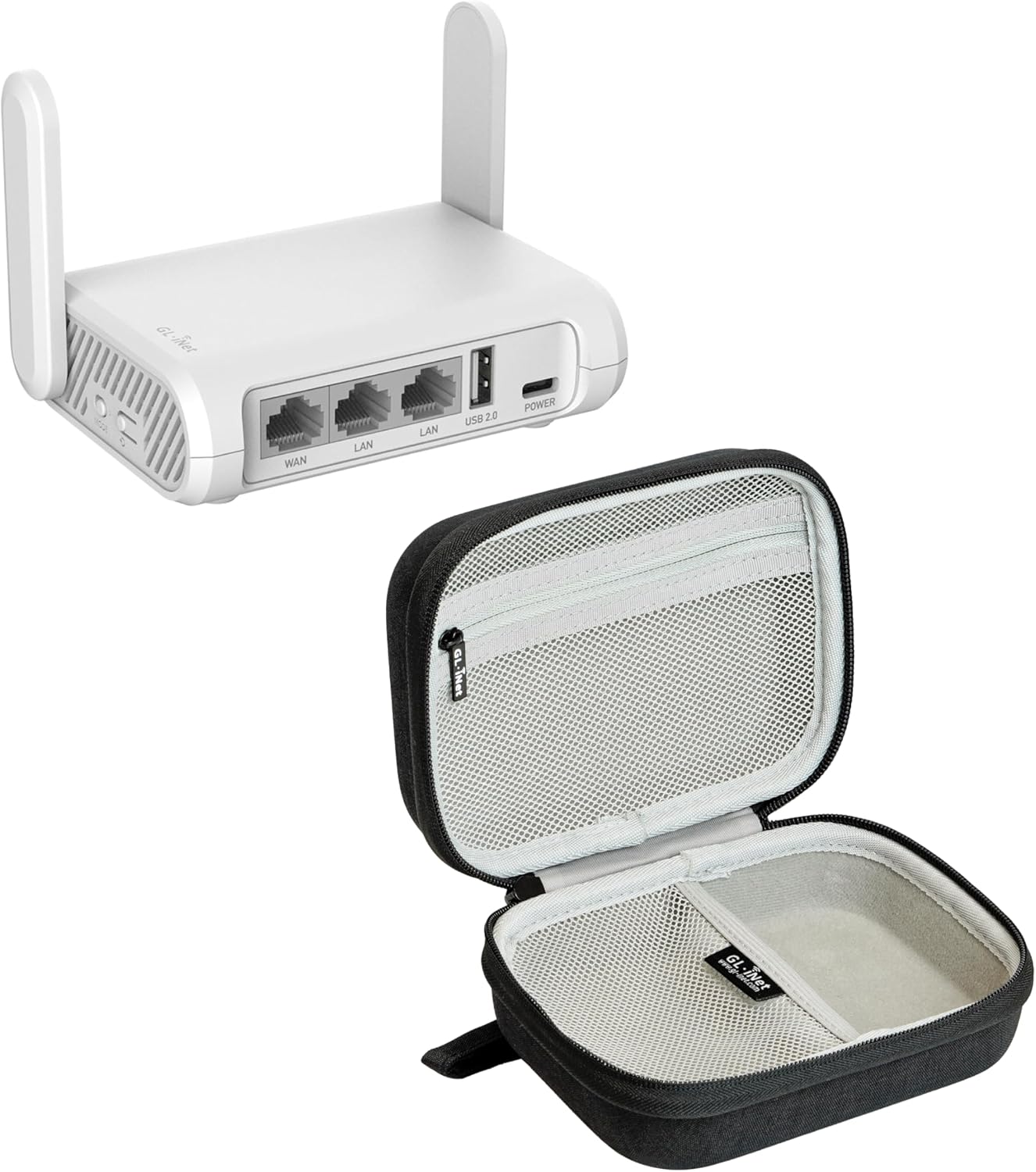
The GL.iNet GL-SFT1200 (Opal) plugs into a hotel ethernet port and creates your own private WiFi network, one you control with a password only you know. It runs OpenWrt, an open-source router firmware that lets you run VPN clients like WireGuard directly on the router. That means your laptop, phone, and tablet all route through the VPN automatically, without configuring each device separately.
It’s dual-band: the 2.4GHz band runs at 300Mbps (plenty for video calls and day-to-day work) and the 5GHz band at 867Mbps (enough for large file transfers without throttling). It runs on USB power, so it draws from the same power bank you’re already carrying. It also works as a WiFi extender, which matters in hotel rooms where the router is on the other side of the building from your room.
(It’s not exciting gear. It’s the kind of thing you set up once and completely forget about, because everything just works.)
If you’re carrying this kit daily, GL.iNet makes a travel case that keeps the router, cables, and adapters organized instead of tangled at the bottom of your bag.
A second screen that fits in a sleeve
Portable monitors have gotten genuinely good in the last couple of years. The category used to mean dim panels, awkward stands, and connections that needed three adapters. That’s largely not true anymore at the mid-range price point.
The MNN Portable Monitor is a 15.6-inch, 1080P IPS display with HDR support. It connects via USB-C or HDMI, and a single USB-C cable from your laptop carries both signal and power, so you don’t need a second outlet. The smart cover doubles as a stand, so there’s nothing extra to carry. Built-in speakers handle audio when you need them. It works plug-and-play with laptops, phones, and Macs.
At 15.6 inches, it’s large enough to function as a real working display rather than a novelty screen. It fits alongside a 13 or 14-inch laptop without taking over a café table. Go smaller and you’re not gaining much over your laptop screen alone. Go larger and it stops fitting comfortably in a bag.
One thing to know: IPS panels look best in controlled lighting. In a bright window seat, you may find yourself repositioning more than you would with a higher-nit display. For most café and hotel environments it’s a non-issue, but worth keeping in mind if you frequently work near windows or outdoors.
Calls that sound like you’re at a desk
Noise-canceling headphones solve both sides of the video call problem. They block the noise around you and clean up your microphone so the person on the other end doesn’t know you’re in a public space.
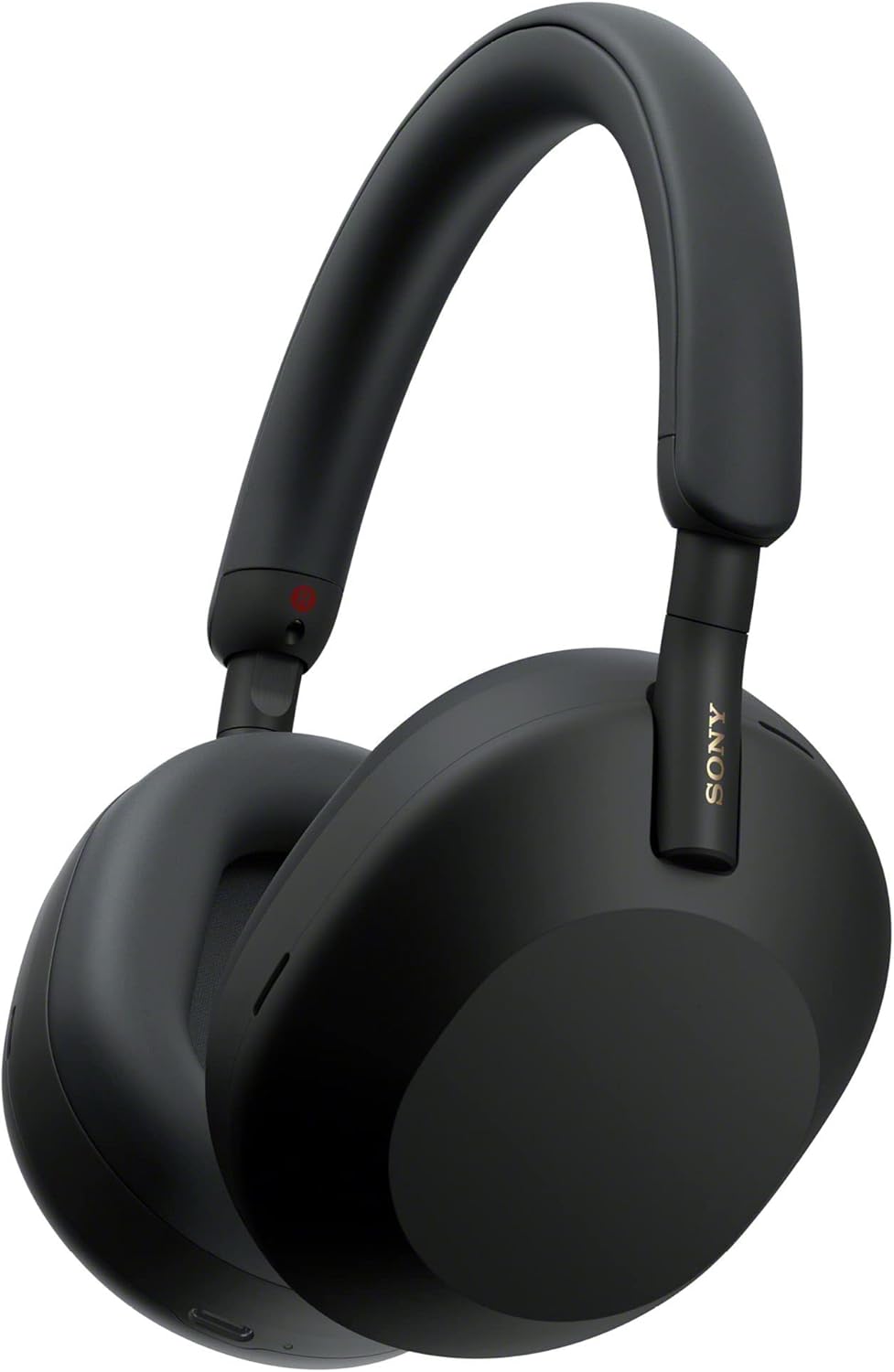
The Sony WH-CH720N is the practical pick here. It weighs 192g, which is noticeably lighter than most over-ear ANC headphones and matters when you’re wearing them for five or six hours. Battery runs about 35 hours without ANC, around 26 with it on, so you’re not recharging mid-week. Multipoint pairing keeps it connected to your laptop and phone simultaneously and switches between them without manual input.
The microphone uses Sony’s AI noise reduction to clean up your voice on calls. In a typical café, it handles ambient noise well enough that most people on the call won’t know you’re not at a desk.
The honest limitation: this is a solid mid-range headphone, not a flagship. The noise cancellation is good, though not as aggressive as the Sony WH-1000XM5 in genuinely loud environments like airports or food halls. For coffee shops and hotel rooms, it’s plenty. If you’re regularly working from loud transit environments, the XM5 is the step up worth considering.
A slim carry case keeps the headband from getting crushed in a packed bag and is worth adding if you’re using these daily.
Power that outlasts your workday
Here’s the thing most people get wrong about power banks for laptop use: most of them don’t actually charge a laptop. They slow the rate at which it loses charge, which isn’t the same. What you need is USB-C Power Delivery at 65W or higher. That’s the threshold where your laptop actually replenishes rather than just stalling the drain.
The Anker 25,000mAh Laptop Power Bank has three USB-C ports at 100W each, enough to charge a laptop at full speed while keeping a phone and another device topped up at the same time. The 25,000mAh capacity works out to roughly one to two full laptop charges depending on your laptop’s battery size. It has built-in retractable USB-C cables, which is one fewer thing to pack and one fewer cable to lose. It’s flight-approved, so it goes in your carry-on.
It’s not a small device. A power bank with this capacity never is. But it replaces the low-grade anxiety of watching your battery drop with no outlet in sight, and that trade-off is worth it on any day that runs long.
Posture doesn’t fix itself, but a stand gets you most of the way there
Laptop stands are the cheapest, lightest item in this kit and the one most people skip. Working at table height puts your neck at a downward angle for hours at a time. By mid-afternoon, you feel it. A stand raises your screen to eye level, where your neck isn’t fighting gravity.
The Tonmom Laptop Stand is ABS and silicone, durable enough for daily use without adding meaningful weight to a bag. It supports laptops up to 15.6 inches, folds flat, and has a ventilated design that keeps your laptop from throttling under sustained load.
One thing to plan for: once your laptop is at eye level, you can’t comfortably type on the built-in keyboard. You’ll want a compact Bluetooth setup alongside it. This keyboard and mouse combo is a solid pairing that doesn’t add much to the bag, and the stand itself is inexpensive enough that the combined cost is still very reasonable.
Frequently Asked Questions
The bottom line
Working from anywhere in 2026 means showing up to an environment you don’t control and producing the same work you would at your own desk. The network might be bad. The noise is probably there. The outlets might require rearranging your seat. None of that is a reason to stay home.
This kit works through the problems in order of frequency: private network and security first, then screen space, call quality, power, and posture. You don’t need all of it on day one. Each piece removes a specific friction point that otherwise makes work from anywhere gear feel more like a compromise than a capability.
The point isn’t a perfect setup. It’s not getting stuck fighting your tools on a day when you just need to get work done.
Featured Products from the Post