

Best Tech Gifts for College Graduates in 2026, Organized by Major
Finding the best tech gifts for college graduates in 2026 is easier when you know what they’re walking into. A business grad and a STEM grad need completely different tools on day one, and a gift that lands well for one might sit in a drawer for the other. These five sections match specific products to specific colleges, so instead of guessing, you’re picking something built around what they’ll actually use in their first year. Every pick has a clear purpose: gear that solves a problem their degree didn’t come with a solution for. Each section stands alone, so go straight to the one that matches your grad.
For the Business Graduate
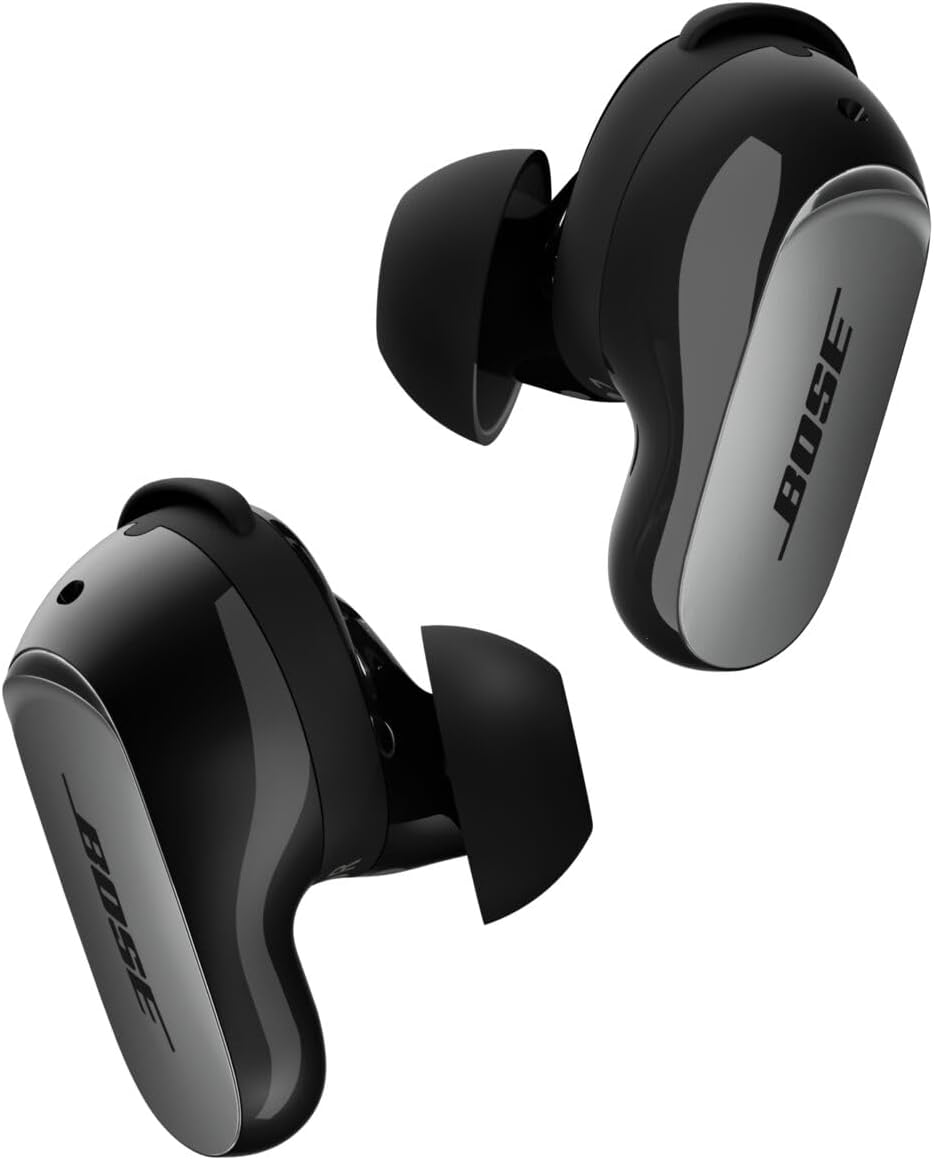
Bose QuietComfort Ultra Earbuds (2nd Gen) — Call Quality Built for the Open Office
Business grads don’t ease into a quiet role. They’re in open offices, on commutes, and on video calls from day one, often all on the same day. The Bose QC Ultra 2nd Gen addresses that with SpeechClarity AI, a call-filtering system that isolates your voice from background noise at the microphone level rather than just blanketing everything with noise cancellation. The call quality holds up in a coffee shop or a busy coworking floor in a way that most consumer earbuds don’t, which is what most earbuds at this price can’t say. One honest limitation: the water resistance is IPX4 (splash-proof, not submersion-rated), and battery drops from 6 to 4 hours when Immersive Audio is on. For someone using them primarily for calls and commute focus, that trade is easy to live with.
The Build:
- ANC: CustomTune calibration with ActiveSense adaptive mode (automatically adjusts noise cancellation based on the environment, so a quiet room doesn’t feel pressurized)
- Call filtering: SpeechClarity AI (processes your voice separately from surrounding noise at the microphone — not just at the speaker output)
- Battery: 6 hours per charge; case holds 3 full cycles = 24 hours total (quick charge: 20 minutes plugged in gives 2 hours of playback)
- Connectivity: Bluetooth 5.3 with multipoint support (pairs to laptop and phone simultaneously and switches between them without re-pairing)
- Water rating: IPX4 (handles sweat and light rain; not rated for submersion)
A first-week call that sounds professional from a noisy open floor is worth more than any business card holder.
Check availability on Amazon for the Bose QuietComfort Ultra Earbuds (2nd Gen)
Bellroy Hide & Seek Wallet — Slim Carry for Client-Facing Work
A wallet is an unusual pick for a tech gift guide, but the case for it at this stage is genuinely practical. Professional environments have unspoken carry standards, and a bulging phone-sized bifold reads differently in a client lunch than it does at campus. The Bellroy Hide & Seek holds up to 12 cards in a profile slim enough to sit flat in a front pants pocket without disrupting a blazer line. The catch is that it’s a leather item at a premium price, and for someone who genuinely doesn’t think about pocket bulk, it’s not the right gift. For a business grad who’s about to spend a lot of time in client-facing situations, the difference is more visible than it sounds.
(A wallet sounds underwhelming on paper as a graduation gift. Hand one to a 22-year-old who’s been carrying a worn nylon bifold since freshman orientation and watch what happens.)

The Build:
- Material: Full-grain leather (develops a patina over time rather than peeling like bonded leather alternatives in the same price range)
- Capacity: Up to 12 cards plus a cash slot (covers professional daily carry without needing to actively manage it)
- Profile: Slim enough to sit flat in a front pocket without a visible bulge under dress pants
- RFID protection: Available in RFID-blocking edition (prevents contactless card skimming — low-probability risk, zero-effort prevention)
- Hidden slot: Quick-access internal pocket for a frequently used card (removes the fumble at card readers and checkout)
In the first months at any professional job, small details about how someone presents themselves register before they’ve had a chance to prove much else.
Check availability on Amazon for the Bellroy Hide & Seek Wallet
For the Education Graduate
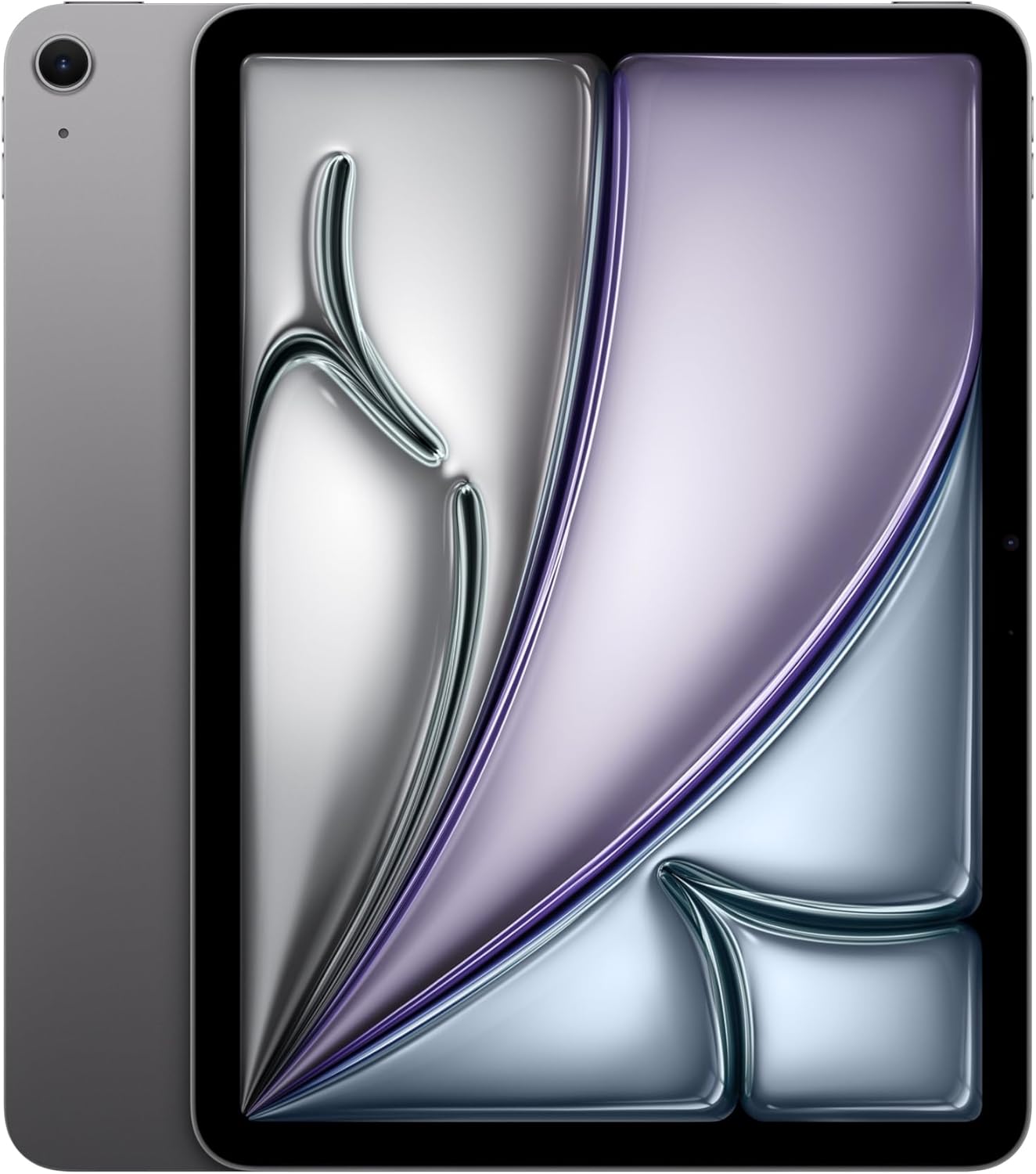
Apple iPad Air (M4) + Apple Pencil (USB-C) — The Annotation and Planning Setup
Teachers annotate student work, plan lessons, mark up PDFs, and build presentations in ways that paper handles awkwardly and a laptop alone doesn’t solve well. The iPad Air M4 paired with the Apple Pencil USB-C covers all of that in a single bag-sized device. The M4 chip handles anything a classroom demands, and the Liquid Retina display is sharp enough for handwritten notes that are legible at actual size. The most important thing to know before buying: the Apple Pencil USB-C doesn’t charge magnetically or wirelessly like the Pro version — it needs a USB-C cable to pair and charge, so keeping one in the bag is part of the setup. For a new teacher who’s planning curriculum on the couch after school and annotating assignments at lunch, that’s a minor inconvenience for a workflow that genuinely saves hours.
The Build:
- iPad chip: Apple M4 (same silicon as the entry MacBook Pro — handles lesson apps, PDF annotation, video playback, and light creative work without slowing down)
- iPad display: 11-inch Liquid Retina, 2360×1640 at 264 PPI (sharp enough to read handwritten student notes at actual size without zooming)
- iPad battery: Up to 10 hours (covers a full school day without needing a classroom outlet)
- Pencil sensitivity: 4,096 pressure levels (captures natural variation in writing and drawing — not just on/off pressure like a basic capacitive stylus)
- Pencil pairing: USB-C connection required for initial pairing and charging (no magnetic attachment or wireless charging — the key difference from the Apple Pencil Pro)
A new teacher who can annotate a set of 30 essays on a tablet during a planning period instead of printing them is getting 45 minutes back every time.
Check availability on Amazon for the Apple iPad Air (M4)
Check availability on Amazon for the Apple Pencil (USB-C)
Logitech Spotlight Presentation Remote — Built for the Front of the Room
New teachers present constantly, and most of them start by standing awkwardly close to a laptop to advance slides. The Logitech Spotlight solves that with 30-meter wireless range (enough to reach the back of a lecture hall) and three pointer modes that go well beyond a basic clicker: a spotlight that dims everything except your focus point, a digital laser for precision, and a magnify mode that zooms in on detail for the back row. It connects via Bluetooth or a plug-and-play USB receiver and works with every major presentation platform including Google Slides, Keynote, PowerPoint, and Zoom. Price is the real trade-off: a basic presentation remote handles slide-advancing for much less. The Spotlight earns the premium with a built-in vibration timer that alerts you before your allotted time runs out, which matters more than it sounds in a job with tight lesson windows.

The Build:
- Range: 30 meters / 100 feet (enough to present from any position in a standard classroom or lecture hall without signal drop)
- Pointer modes: 3 — Spotlight (dims slide except your focus area), Magnify (zooms in on detail for the back row), Digital Laser (precision pointer)
- Connectivity: Bluetooth or USB receiver (plug-and-play on any computer; no software required for core use)
- Compatibility: Mac and Windows; Google Slides, Keynote, PowerPoint, Prezi, Acrobat, Zoom, Teams
- Timer: Built-in vibration alert (configurable via Logitech Presentation app — notifies you before time is up, not after)
Walking the room during a lesson instead of standing at the podium changes how a teacher presents — and how the class receives it.
Check availability on Amazon for the Logitech Spotlight Presentation Remote
For the Behavioral Health & Sciences Graduate
Anker Nano Power Bank (30W) — Pocket Power for Long Days in the Field
BHS graduates end up in roles that are physically mobile in ways most office jobs aren’t: site visits, field assessments, long clinic shifts, and back-to-back sessions in locations that may not have a convenient outlet. A 10,000mAh bank that fits in a jacket pocket is one fewer thing to worry about on a day that already has plenty going on. The Anker Nano has a built-in USB-C cable, so it doesn’t require packing a separate cord — which matters when a bag is already full of intake forms and assessment materials. Where it falls short: 30W is fast enough to rescue a phone or top off a tablet, but it won’t make a meaningful dent in a laptop battery. For a role that demands phone and tablet access throughout the day, it covers the actual need cleanly.

The Build:
- Capacity: 10,000mAh (roughly 2.5 full charges for a modern iPhone — enough to go from dead to full twice without reaching for a wall outlet)
- Output: 30W USB-C (gets a drained phone to 50% in roughly 30 minutes)
- Built-in cable: Integrated USB-C cord (eliminates a separate charging cable from the carry — one less thing in the bag)
- Size: Slightly larger than a credit card stack (fits in a jacket or front pants pocket without a noticeable profile)
- Input: USB-C charging (same cable type as most modern laptops, so nothing new to carry)
The shifts in behavioral health and social work don’t always end when expected. Knowing the phone has backup power stops being a small thing after the third time it matters.
Check availability on Amazon for the Anker Nano Power Bank (30W)
Logitech Brio 101 Full HD Webcam — Clear Video for Telehealth and Remote Sessions
Telehealth is now a standard component of many behavioral health roles, and the built-in camera on most laptops produces video that’s acceptable for casual calls but a noticeable step below what a dedicated webcam delivers. For a clinician or counselor whose clients are forming a first impression during those opening seconds of a video session, image quality matters in a way it doesn’t for an internal team standup. The Brio 101 is 1080p with a physical privacy shutter — a hardware lens cover, not just a software toggle, which is the kind of detail that matters in a role with strict privacy standards. The main limitation is the USB-A connection: newer laptops with only USB-C ports will need a small adapter, which isn’t included in the box.

The Build:
- Resolution: Full HD 1080p (a visible step up from most built-in laptop cameras, which typically max around 720p and degrade in low light)
- Privacy shutter: Physical lens cover (blocks the camera at the hardware level — not dependent on software or app settings)
- Microphone: Built-in (adequate for standard calls; a dedicated external mic is better for extended recording)
- Connection: USB-A (plug-and-play, no drivers required; USB-C adapters work for newer laptops)
- Compatibility: Zoom, Microsoft Teams, and standard video conferencing platforms on Mac and Windows
The quality of a telehealth session affects whether clients come back. A clearer picture is a small investment that repeats every session.
Check availability on Amazon for the Logitech Brio 101 Full HD Webcam
For the STEM Graduate
Samsung T9 Portable SSD (2TB) — Storage That Keeps Up With the Data
STEM roles generate files that cloud free tiers weren’t designed for: raw research datasets, compiled models, CAD assemblies, and lab exports that run into dozens of gigabytes per project. The Samsung T9 reads at 2,000MB/s — that’s the speed data actually moves off the drive — which means a 50GB folder transfers to a laptop in under a minute rather than sitting at a progress bar for ten. The speed comes from the USB 3.2 Gen 2×2 interface, which requires a compatible USB-C port on the receiving laptop. Worth checking before buying: most 2024-era laptops support it, but it’s not universal, and the drive still works on an older port — just at reduced speeds.

The Build:
- Read speed: 2,000MB/s (faster than most internal laptop drives — a 10GB dataset moves in roughly 5 seconds)
- Write speed: Up to 1,950MB/s (fast enough that saving large exports doesn’t create a bottleneck when time matters)
- Capacity: 2TB (room for multiple large project archives without constant file management)
- Durability: IP65-rated (dust and water resistant — survives being knocked off a lab bench or caught in the rain in a bag)
- Interface: USB 3.2 Gen 2×2 via USB-C (full speeds require a matching port; still functional at reduced speeds on standard USB-C)
The first time a research dataset that used to take 20 minutes to copy moves in under a minute, the case for a fast SSD stops needing to be made.
Check availability on Amazon for the Samsung T9 Portable SSD (2TB)
Anker 10-in-1 USB-C Hub — One Cable for Everything on the Desk
A STEM grad’s desk at a new job typically involves things plugged into other things: an external monitor, a USB-A instrument or lab peripheral, an SD card from a camera or field device, an ethernet cable for stable data transfer, and a laptop that ships with two USB-C ports. A good hub consolidates all of that into a single connection. The Anker 10-in-1 passes through 100W of power (enough to charge a laptop while it’s in use) and adds a 4K display output, four USB-A ports, ethernet, and an SD card slot through one cable. The display output is worth noting up front: the HDMI maxes at 4K@30Hz, which covers document work, code, and data review without issue, but isn’t the right fit for a high-refresh gaming display or high-framerate video editing.

The Build:
- Power delivery: 100W USB-C passthrough (charges the laptop at speed while the hub is connected — the hub doesn’t consume power from the host)
- Display: HDMI at 4K@30Hz (drives a full 4K external monitor for code, documents, and data; 30Hz is the ceiling)
- USB-A: 4 ports at 5 Gbps (fast enough for external drives, instruments, and peripherals without bottlenecking transfers)
- Ethernet: RJ45 wired network port (stable, low-latency connection for remote desktop sessions and large transfers over a local network)
- Additional: SD card slot and VGA output (covers older projectors and displays still common in labs and presentation rooms)
The engineering desks that look effortlessly organized usually have a hub sitting somewhere behind the monitor.
Check availability on Amazon for the Anker 10-in-1 USB-C Hub
If they’re also building out a home desk setup from scratch, our best desk accessories for 2026 covers everything that goes around the hub.
For the Arts and Letters Graduate
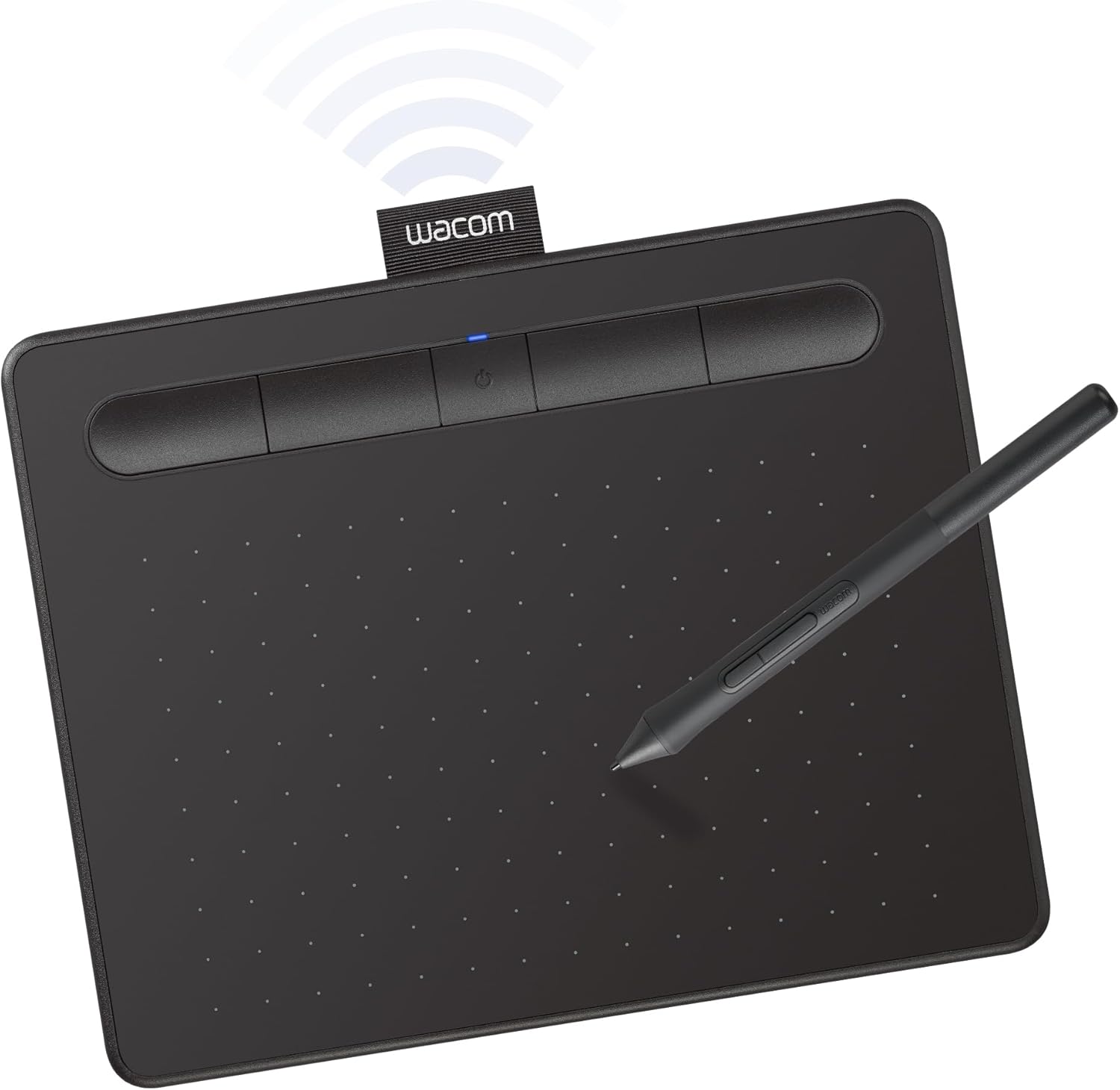
Wacom Intuos Creative Pen Tablet — A Drawing Surface That Works With What They Already Have
Design, illustration, and animation graduates need a pressure-sensitive surface that works with their existing software and computer — not a second device to manage. The Wacom Intuos connects via Bluetooth to Mac, Windows, Chromebook, and Android, and it’s compatible with the creative tools this audience already uses: Photoshop, Illustrator, Clip Studio Paint, and others. The four ExpressKeys are customizable to whatever shortcuts a workflow relies on most. Two things worth knowing before buying: the active drawing area is small at 6 × 3.7 inches, which takes adjustment coming from a larger sketchpad, and the Intuos doesn’t support tilt recognition — that’s an Intuos Pro feature. For an illustrator or graphic designer building their first professional setup after graduation, it’s a capable starting point at a price that doesn’t require a painful upgrade to replace.
The Build:
- Pressure sensitivity: 4,096 levels (captures natural variation in stroke weight and opacity — the difference between two settings and a full range of expression)
- Connectivity: Bluetooth (wireless for drawing; USB-C for charging — no cable running across the desk during a long session)
- ExpressKeys: 4 customizable shortcut buttons (assignable to undo, brush resize, layer switch, or whatever the workflow demands)
- Compatibility: Mac, Windows, Chromebook, and Android with major creative apps
- Pen: Battery-free EMR stylus (no charging or batteries needed for the pen itself — draws power inductively from the tablet surface)
The first session where pressure variation responds the way it would on paper is the moment a digital art workflow starts feeling like art instead of fighting the cursor.
Check availability on Amazon for the Wacom Intuos Creative Pen Tablet
Blue Yeti Nano USB Microphone — Recording Quality That Doesn’t Sound Like an Afterthought
Arts and Letters graduates scatter into roles that share more than they look like they do: podcasting, journalism, film production, voice work, and content creation all depend on audio quality from the first thing they publish. The Blue Yeti Nano records at 24-bit/48kHz — the standard sample rate for professional audio production — and offers two pickup patterns: cardioid for solo recording and omnidirectional for capturing a two-person conversation or roundtable. The built-in headphone jack lets you monitor your own voice in real time with zero latency, which matters once you’re recording anything seriously. The trade-off is the USB-A connection: newer laptops with only USB-C ports need a small adapter. For someone about to publish anything with their voice attached to it, the gap between a built-in laptop microphone and a dedicated condenser is immediately audible to anyone listening.

The Build:
- Polar patterns: Cardioid (captures forward-facing sound, rejects sides — for solo recording) and Omnidirectional (captures all directions equally — for interviews and group conversations)
- Sample rate: 24-bit/48kHz (the production standard for podcast distribution, broadcast audio, and studio editing)
- Headphone monitoring: Built-in 3.5mm jack with zero-latency monitoring (hear yourself in real time during recording, without the delay that desktop software introduces)
- Connection: USB-A (plug-and-play, no audio interface or drivers required)
- Form factor: Compact with integrated desktop stand (usable immediately; a boom arm improves positioning for extended sessions)
There’s a specific regret that comes from publishing something good with audio that sounds cheap. This is the straightforward fix for that.
Check availability on Amazon for the Blue Yeti Nano USB Microphone
Frequently Asked Questions
The Bottom Line
The best tech gifts for college graduates in 2026 aren’t the most impressive-looking ones on a gift table. They’re the ones matched to what the recipient is actually going to do. A business grad needs to sound credible on a call from a noisy open office. An education grad needs to get through 30 student essays without printing all of them. A STEM grad needs to move 50GB without a ten-minute wait. An Arts and Letters grad needs their first published audio to not undermine the work behind it.
These picks cover those distinct problems across five college types. None of them are decoration. Each one removes a specific friction point from a first year that’s already full of new things to figure out.
If you’re choosing one item or deciding whether to bundle a pick with something else from the list, the Bose earbuds and the Anker power bank cross college boundaries more easily than anything else here — both are useful in any role that involves a phone and a schedule that runs long. For grads heading into remote or hybrid work specifically, our guide to working from anywhere goes deeper on the full mobile setup.
